Print this page
 Bonsai Care App walkthrough
Bonsai Care App walkthrough
-
font size
decrease font size
 increase font size
- Media
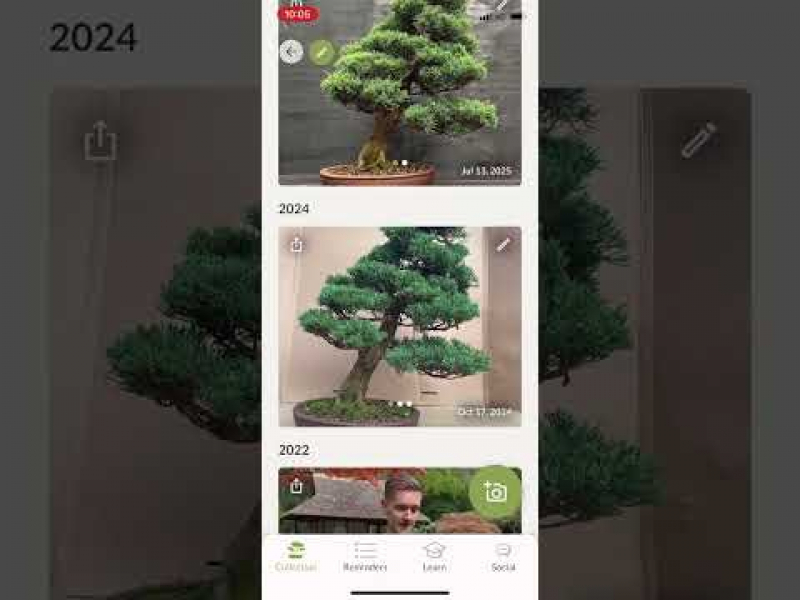 Bonsai Care App walkthrough
If you are using the Bonsai Care App, or consider giving it a try, make sure to watch this short video where we explain all its features!
With the app you can finally keep track of your trees, and record their progression with great photo timelines. You can also use it to set reminders, which are finetuned based on the tree species. Watering reminders are great for beginners, whereas photo and repotting reminders can be useful for intermediate to advanced users.
The app has over 100 tree species guides, all made by experts (not AI!). If you have a tree that is not listed in the app, you can add a custom entry (and we're still writing new guides based on user feedback).
On the social feed you can see the trees of other users and show your own Bonsai. You can also set trees for sale or mention you're open to offers.
We're actively developing and expanding the app, so reach out to us if you have ideas!
https://www.bonsaicare.app
Chapters:
0:00 - Add your first tree
1:29 - Tree profile and information
2:27 - Reminders
2:46 - App settings and tricks
3:16 - Collection and filtering
3:50 - Social feed
The app is completely free up to 5 trees, if you want to add more bonsai or use some of the Pro features you can subscribe for a limited monthly or yearly fee. This will help us earn some income, so we can keep the app up and running and expand its features!
Free download for Android and iPhone:
https://www.bonsaicare.app
Media
Login to post comments